服务器配置qq邮箱发送信息
登录网页版的QQ邮箱
(旧版邮箱)设置-账号-开启SMTP
这时候会获取到一个 授权码 保存备用
安装邮箱客户端Postfix
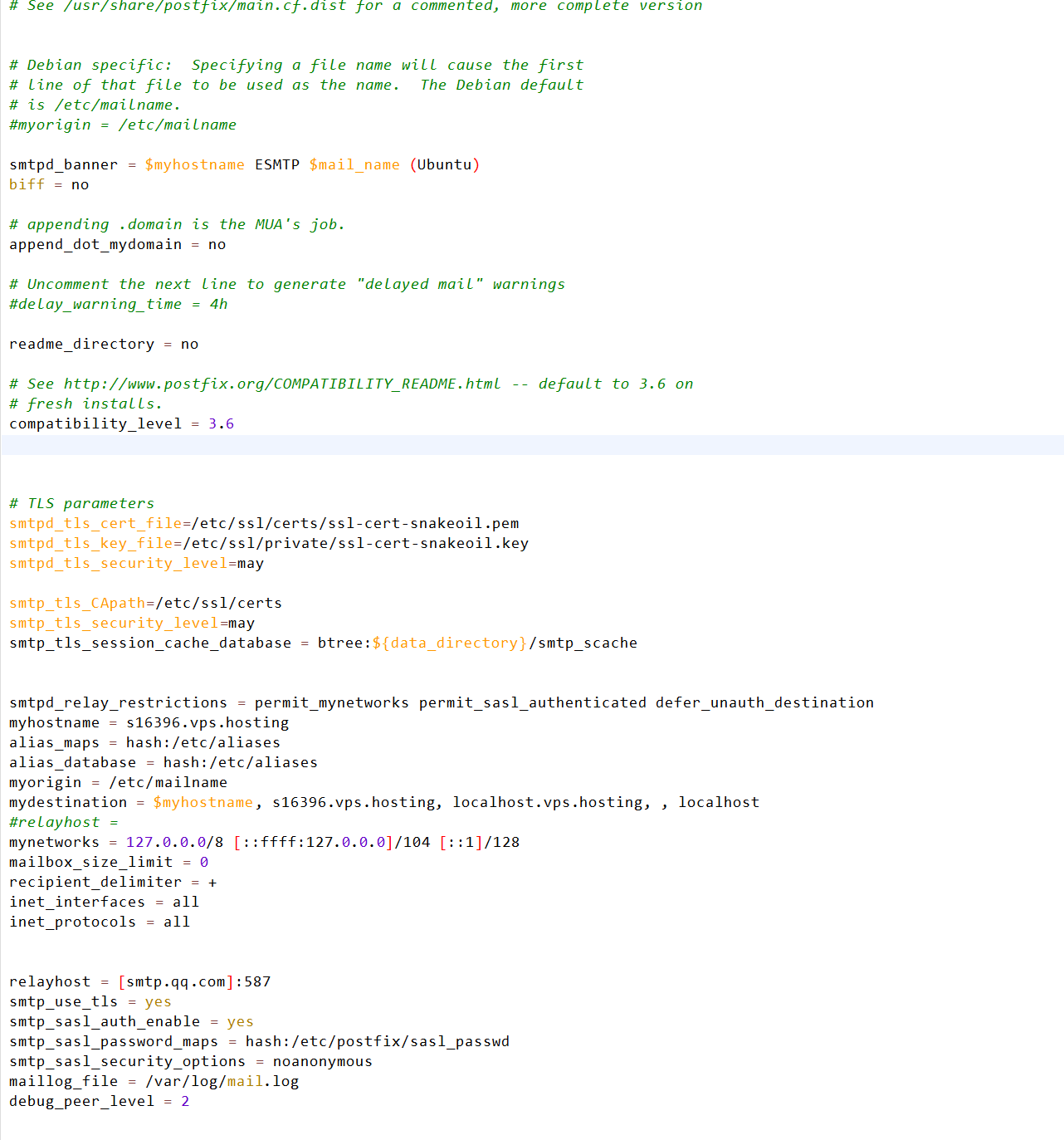
sudo apt-get install postfix配置Postfix:编辑Postfix的主要配置文件 /etc/postfix/main.cf,并在最后添加以下参数:
屏蔽掉
#relayhost = relayhost = [smtp.qq.com]:587
smtp_use_tls = yes
smtp_sasl_auth_enable = yes
smtp_sasl_password_maps = hash:/etc/postfix/sasl_passwd
smtp_sasl_security_options = noanonymous
maillog_file = /var/log/mail.log
debug_peer_level = 2
最终的
/etc/postfix目录下创建sasl_passwd 文件并编辑
[smtp.qq.com]:587 [email protected]:刚才获取到的授权码确保文件可被读取
sudo chmod 600 /etc/postfix/sasl_passwd生成 sasl_passwd 文件的哈希映射:
sudo postmap /etc/postfix/sasl_passwd重新加载 Postfix 配置:
sudo systemctl reload postfix安装mailutils
apt-get install mailutils -y测试发送(注意防火墙端口587开启)
echo "This is a test email" | mail -s "Test Email" -r "[email protected]" [email protected]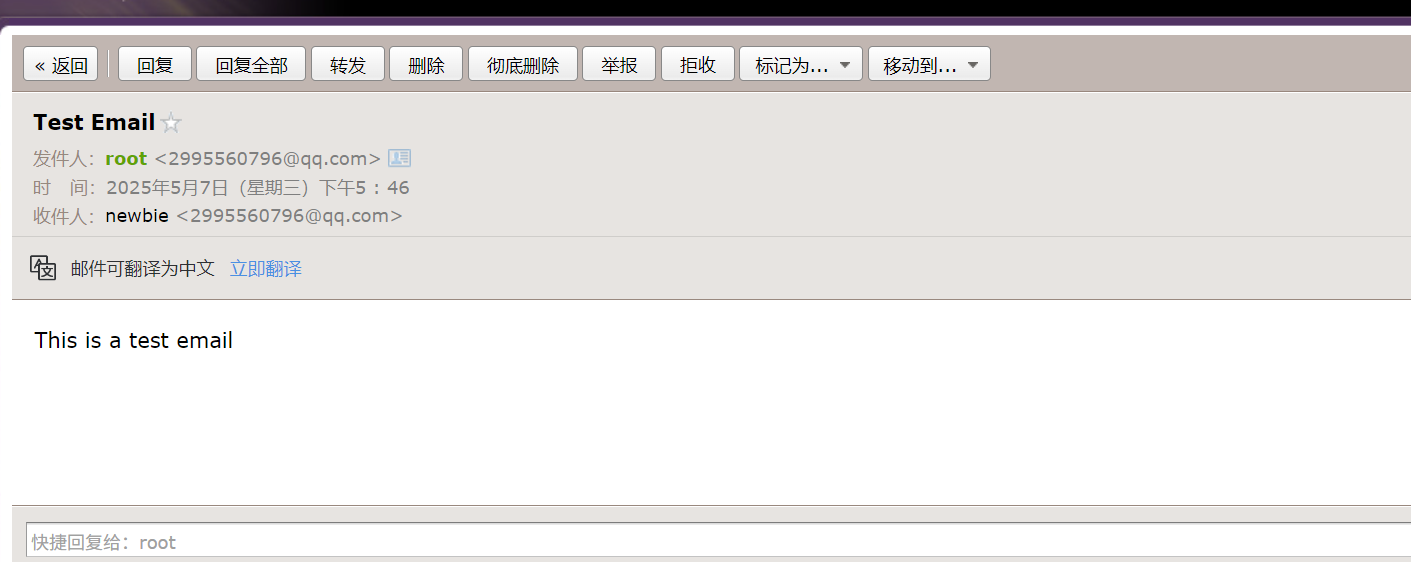
参考:https://blog.csdn.net/weixin_47540149/article/details/133958508