telegram交互
接上一篇的【telegram的定时任务】
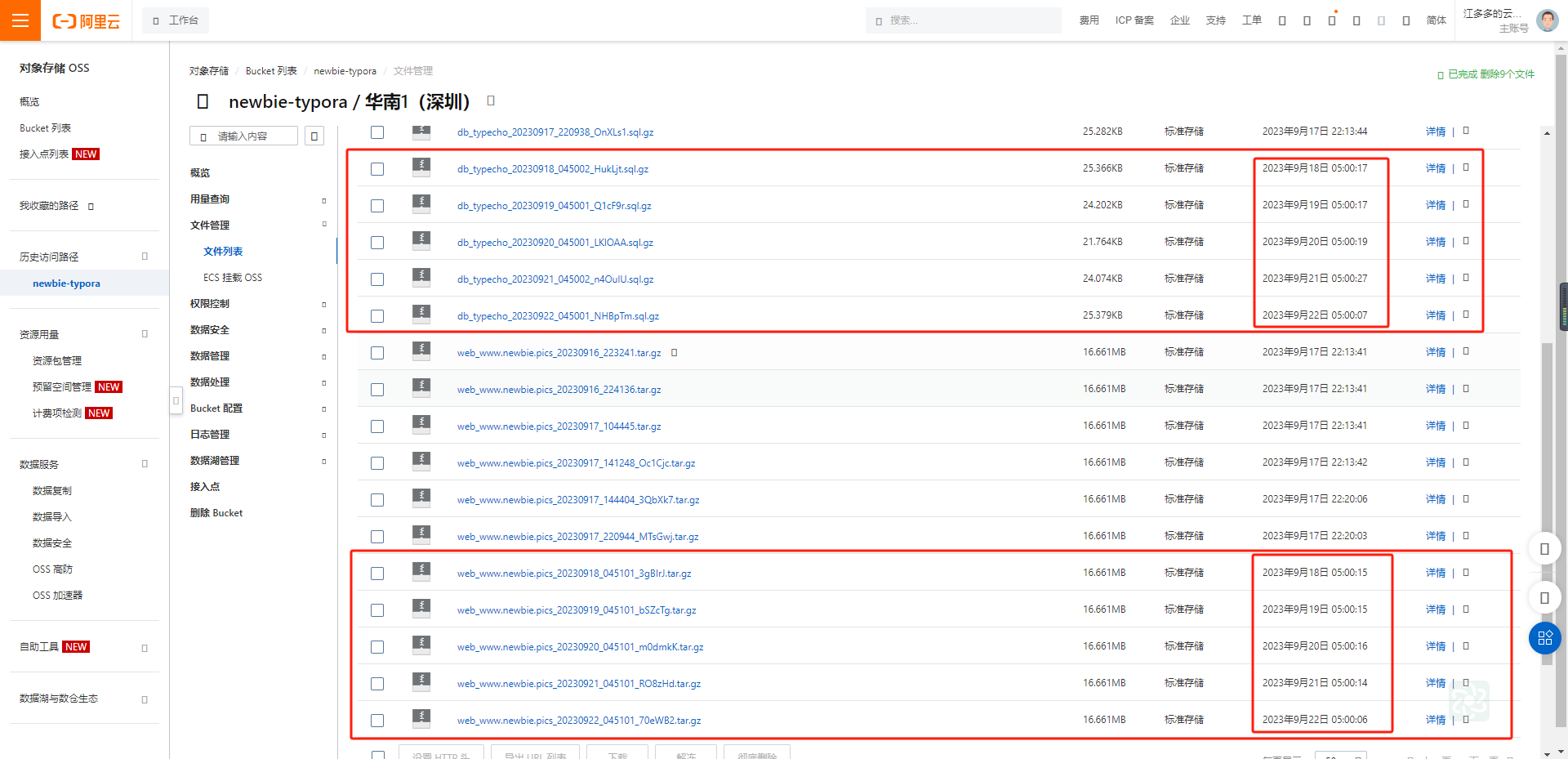
我们可以在telegram-app 接收机器人发来的系统监测消息,测试每隔1h发送一次消息,实际备份是在每天的五点左右,目前已经稳定几天了
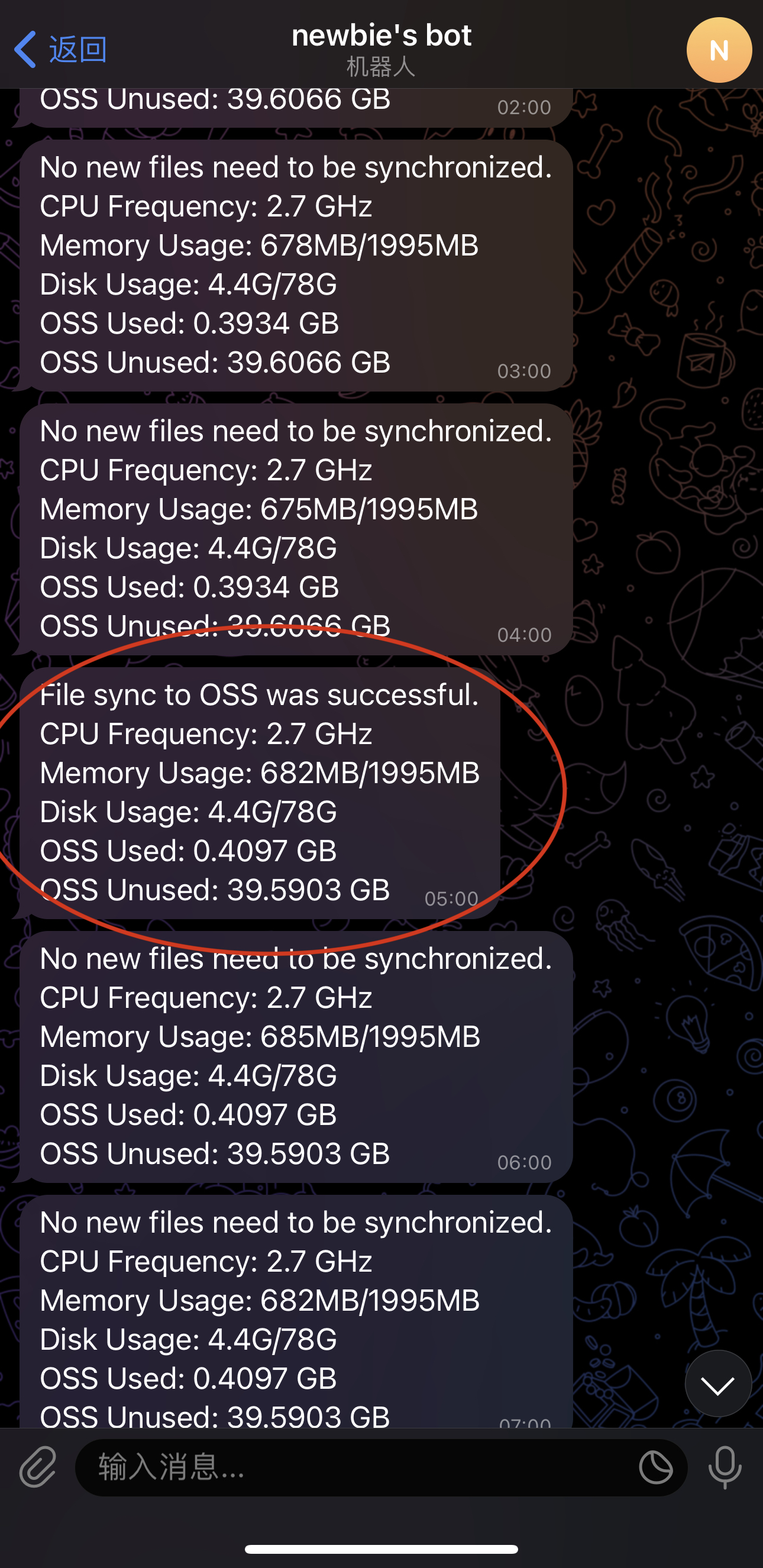
现在我希望通过我发送消息给机器人,机器人能够回复消息,这样的应用可以很多,比如给机器人指令,机器人会触发某个脚本执行啊之类的,查询等等
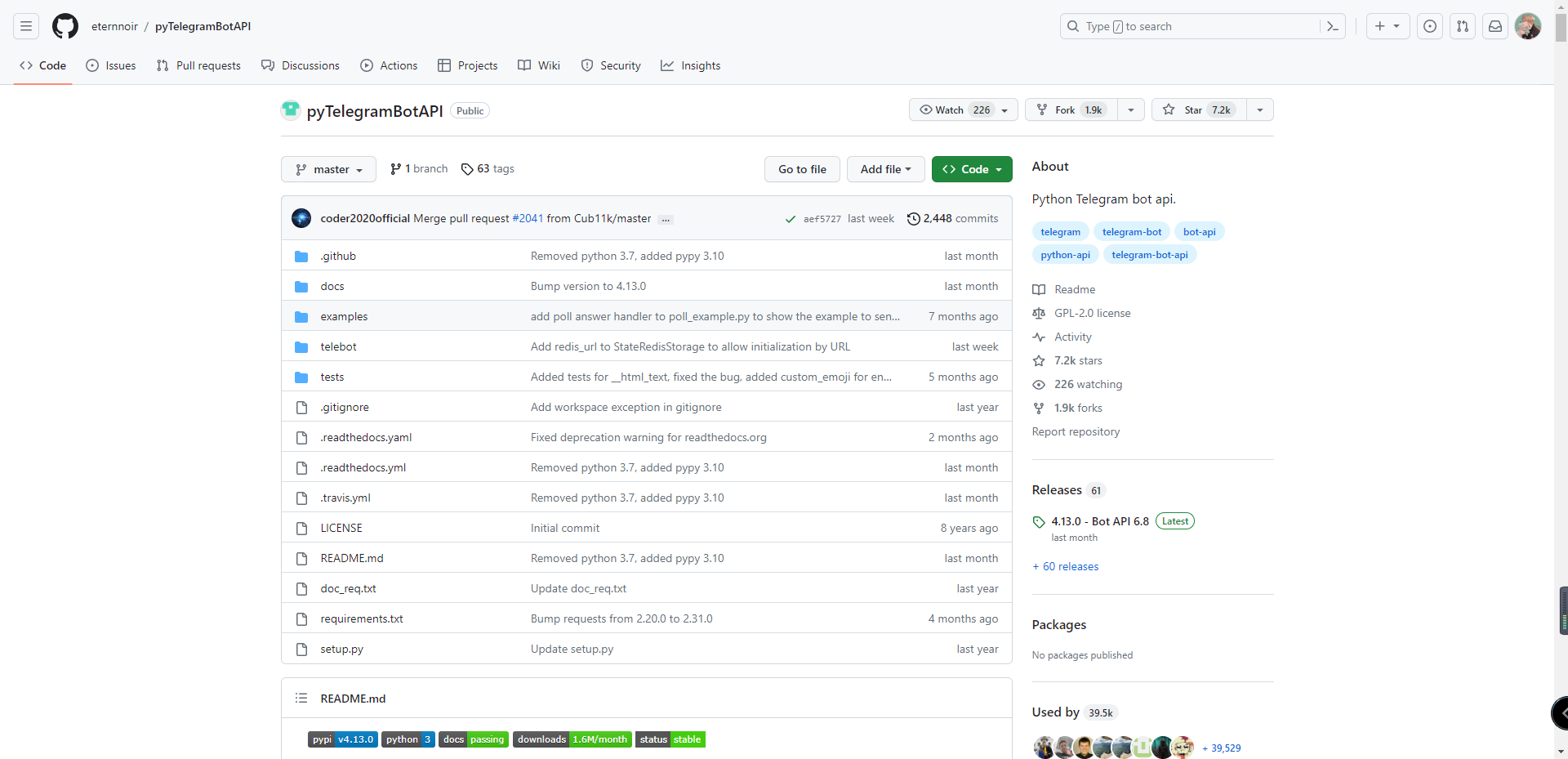
参考文档:https://github.com/eternnoir/pyTelegramBotAPI

安装python3.9
sudo apt update
sudo apt install python3
安装后检查版本是否为3.8及以上,
pip3 --version如果低于3.8执行以下命令
sudo apt update
sudo apt install software-properties-common
sudo add-apt-repository ppa:deadsnakes/ppa
sudo apt update
安装 Python 3.9:
sudo apt install python3.9验证安装:
python3.9 --version到这里我还是装不上呜呜呜,可能是因为 Python 3.9 尚未包含在当前使用的发行版的默认仓库中。
终极办法:从源代码编译 Python 3.9
安装编译依赖项:
sudo apt update
sudo apt install -y build-essential zlib1g-dev libncurses5-dev libgdbm-dev libnss3-dev libssl-dev libreadline-dev libffi-dev wget
下载 Python 3.9 源代码:
cd /tmp wget https://www.python.org/ftp/python/3.9.0/Python-3.9.0.tgz tar -xvf Python-3.9.0.tgz编译并安装:
cd Python-3.9.0
./configure --enable-optimizations
make -j $(nproc)
sudo make altinstall
使用
altinstall而不是install可以防止替换默认的python3二进制文件。验证安装:
python3.9 --version
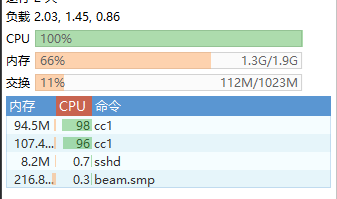
可怜的小vps跑飞起
终于是装上了

first bot
- Installation using pip (a Python package manager):
pip3.9 install pyTelegramBotAPIpip3.9 install pytelegrambotapi --upgrade测试:
import telebot

bot = telebot.TeleBot("YOUR_BOT_TOKEN")

@bot.message_handler(commands=['start', 'help'])
def send_welcome(message):
    bot.reply_to(message, "Howdy, how are you doing?")

@bot.message_handler(func=lambda message: True)
def echo_all(message):
    bot.reply_to(message, message.text)

bot.infinity_polling()
发送什么回复什么,机器人接收到 /start或 /help 会发送Howdy, how are you doing?
谁都可以发送并得到反馈,因为没有user_id的限制
指定文件发给我
import telebot

TOKEN = 'YOUR_TELEGRAM_BOT_TOKEN'
bot = telebot.TeleBot(TOKEN)

@bot.message_handler(commands=['getfile'])
def send_file(message):
    user_id = message.from_user.id
    file_path = "/path/to/your/file.txt"  # 修改为你的文件路径

    with open(file_path, 'rb') as file:
        bot.send_document(user_id, file)

bot.polling()
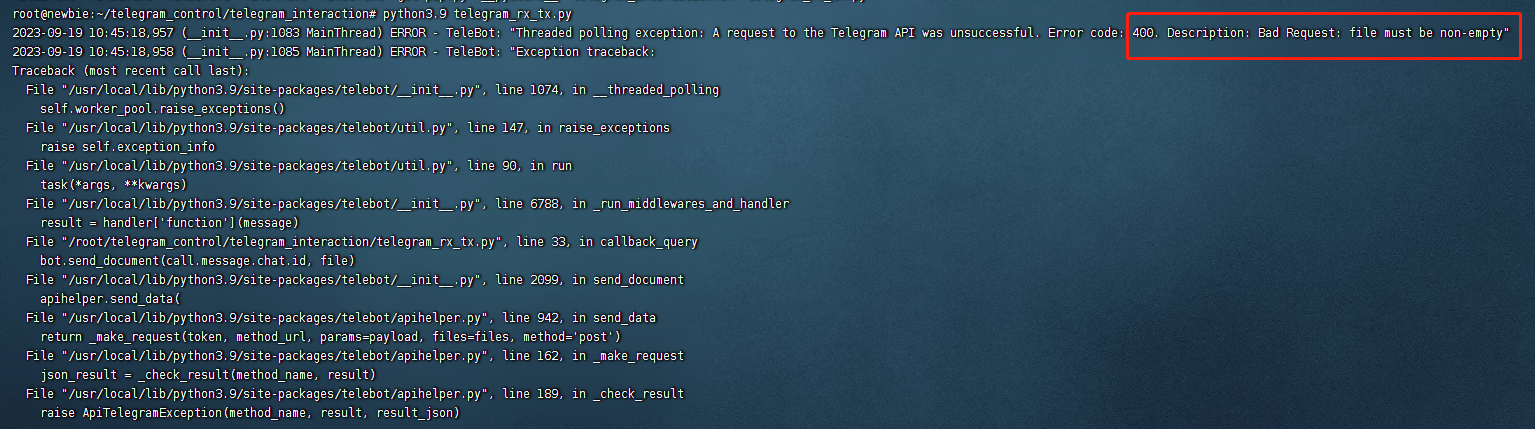
以上在手机中输入 /getfile可得到文件,需要保证 路径 ,文件存在 以及 文件内容不为空 ,否则会产生异常错误导致程序运行停止
没有回应就给脚本加权限
chmod 777 your_py.py异常记录
点击链接获得多个文件以及异常情况处理
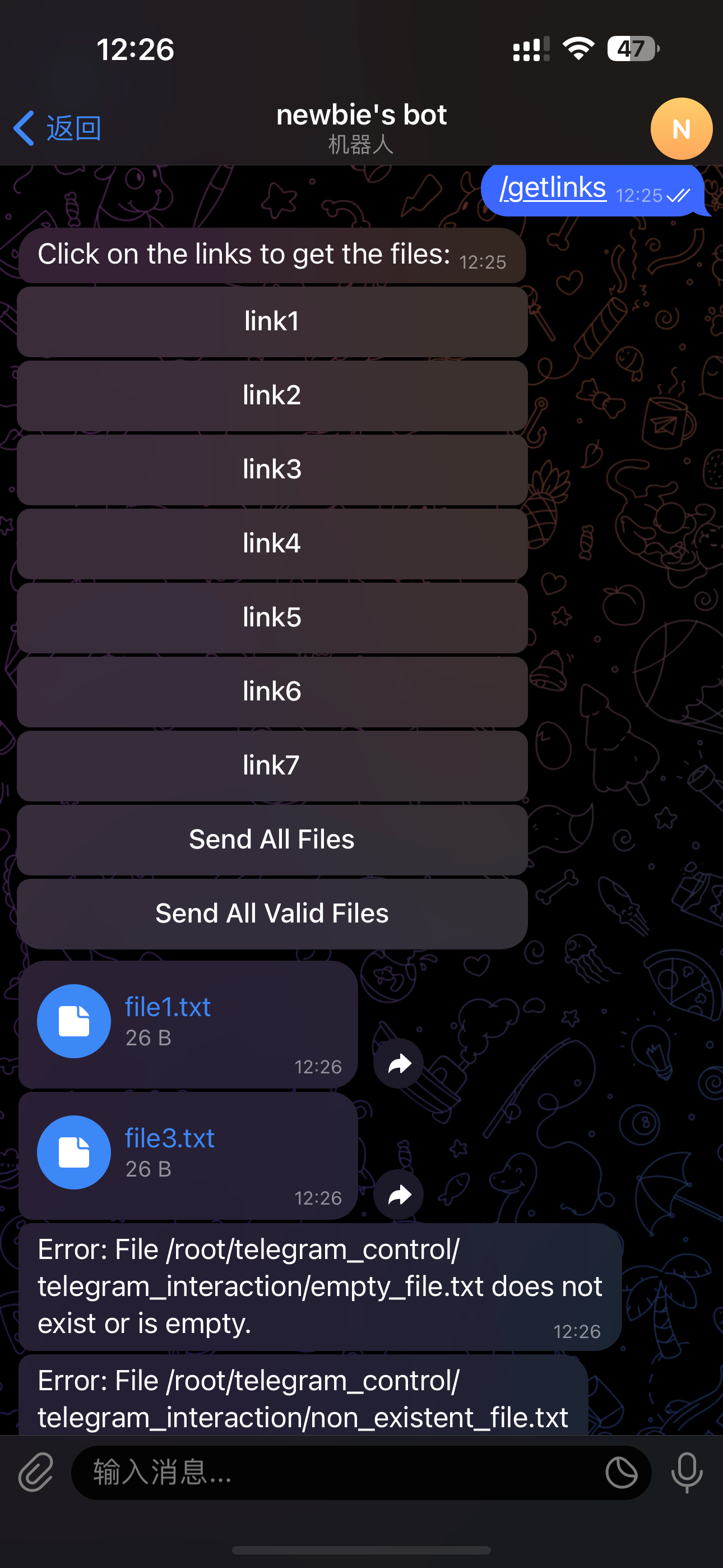
功能:输入 /getlinks 会回复链接,点击链接可获得文件,对空文件以及不存在文件做了异常处理
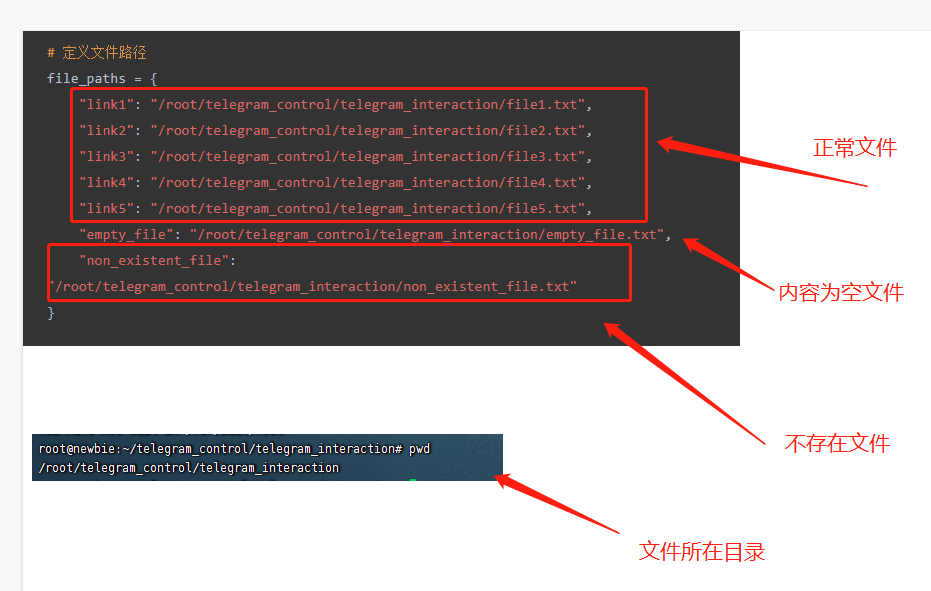
这里需要先创建六个文件:创建file1-file5并写一些东西 以及 创建一个空文件empty_file
一键复制:
echo "This is content for file1" > file1.txt
echo "This is content for file2" > file2.txt
echo "This is content for file3" > file3.txt
echo "This is content for file4" > file4.txt
echo "This is content for file5" > file5.txt
touch empty_file.txt
我是在当前目录下创建的

该实验有八个链接,分别为link1-link5 send all file empty_file non_existent_file
link1-link5 点击会获得相应文件,
send all file 点击会获得所有文件
empty_file 点击会回复空文件异常
non_existent_file 点击会回复不存在文件异常的
import telebot
import os

TOKEN = '6538532918:AAES46sC5prigXRx821fr9p51AEjXdSFbAE'
bot = telebot.TeleBot(TOKEN)

# 定义文件路径
file_paths = {
    "link1": "/root/telegram_control/telegram_interaction/file1.txt",
    "link2": "/root/telegram_control/telegram_interaction/file2.txt",
    "link3": "/root/telegram_control/telegram_interaction/file3.txt",
    "link4": "/root/telegram_control/telegram_interaction/file4.txt",
    "link5": "/root/telegram_control/telegram_interaction/file5.txt",
    "empty_file": "/root/telegram_control/telegram_interaction/empty_file.txt",
    "non_existent_file": "/root/telegram_control/telegram_interaction/non_existent_file.txt"
}

@bot.message_handler(commands=['getlinks'])
def send_links(message):
    markup = telebot.types.InlineKeyboardMarkup()
    for link, file_path in file_paths.items():
        btn = telebot.types.InlineKeyboardButton(text=link, callback_data=file_path)
        markup.add(btn)

    # 添加一个发送所有文件的链接
    all_files_btn = telebot.types.InlineKeyboardButton(text="Send All Files", callback_data="all_files")
    markup.add(all_files_btn)

    bot.send_message(message.chat.id, "Click on the links to get the files:", reply_markup=markup)

@bot.callback_query_handler(func=lambda call: True)
def callback_query(call):
    if call.data == "all_files":
        for file_path in file_paths.values():
            send_file_or_error(call.message.chat.id, file_path)
    else:
        file_path = call.data
        send_file_or_error(call.message.chat.id, file_path)

def send_file_or_error(chat_id, file_path):
    if os.path.exists(file_path) and os.path.getsize(file_path) > 0:
        with open(file_path, 'rb') as file:
            bot.send_document(chat_id, file)
    else:
        bot.send_message(chat_id, f"Error: File {file_path} does not exist or is empty.")

bot.polling()
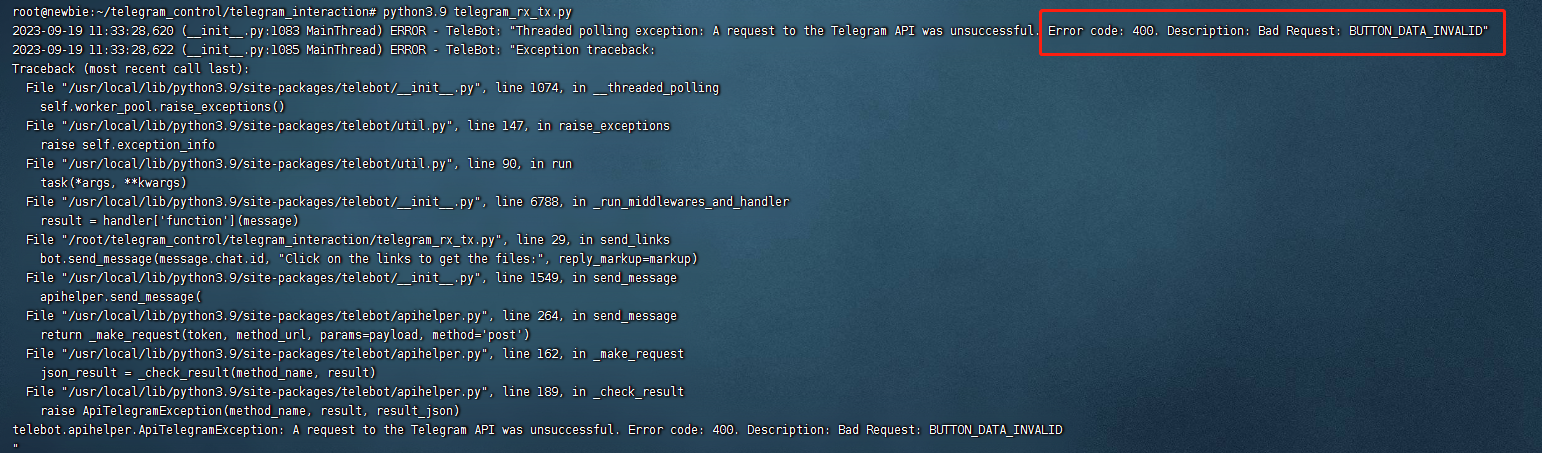
运行之后产生了err,该错误为。Telegram API对callback_data的长度有限制,它必须是1-64字节。如果传递的数据超过这个长度,Telegram API会返回这个错误。
也就是我们需要更改链接的长度
更改以后的文件,这里增加了获取字典中所有文件,会返回所有文件并处理异常
import telebot
import os

TOKEN = '6538532918:AAES46sC5prigXRx821fr9p51AEjXdSFbAE'
bot = telebot.TeleBot(TOKEN)

# 使用短ID作为键,文件路径作为值
file_paths = {
    "link1": "/root/telegram_control/telegram_interaction/file1.txt",
    "link2": "/root/telegram_control/telegram_interaction/file2.txt",
    "link3": "/root/telegram_control/telegram_interaction/file3.txt",
    "link4": "/root/telegram_control/telegram_interaction/file4.txt",
    "link5": "/root/telegram_control/telegram_interaction/file5.txt",
    "link6": "/root/telegram_control/telegram_interaction/empty_file.txt",
    "link7": "/root/telegram_control/telegram_interaction/non_existent_file.txt"
}

@bot.message_handler(commands=['getlinks'])
def send_links(message):
    markup = telebot.types.InlineKeyboardMarkup()
    for link_id, file_path in file_paths.items():
        btn = telebot.types.InlineKeyboardButton(text=link_id, callback_data=link_id)
        markup.add(btn)

    # 添加一个发送所有文件的链接
    all_files_btn = telebot.types.InlineKeyboardButton(text="Send All Files", callback_data="all_files")
    markup.add(all_files_btn)

    # 添加一个发送所有有效文件的链接
    valid_files_btn = telebot.types.InlineKeyboardButton(text="Send All Valid Files", callback_data="valid_files")
    markup.add(valid_files_btn)

    bot.send_message(message.chat.id, "Click on the links to get the files:", reply_markup=markup)

@bot.callback_query_handler(func=lambda call: True)
def callback_query(call):
    if call.data == "all_files":
        send_all_files(call.message.chat.id)
    elif call.data == "valid_files":
        send_all_valid_files(call.message.chat.id)
    else:
        file_path = file_paths.get(call.data)
        if file_path:
            send_file_or_error(call.message.chat.id, file_path)

def send_file_or_error(chat_id, file_path):
    if os.path.exists(file_path) and os.path.getsize(file_path) > 0:
        with open(file_path, 'rb') as file:
            bot.send_document(chat_id, file)
    else:
        bot.send_message(chat_id, f"Error: File {file_path} does not exist or is empty.")

def send_all_files(chat_id):
    for file_path in file_paths.values():
        send_file_or_error(chat_id, file_path)

def send_all_valid_files(chat_id):
    for file_path in file_paths.values():
        if os.path.exists(file_path) and os.path.getsize(file_path) > 0:
            with open(file_path, 'rb') as file:
                bot.send_document(chat_id, file)

bot.polling()
Webhooks
我发现一个问题,当机器然下线以后,我给机器然发送消息,当机器人上线之后发送第一条消息时会触发前面已经发送未回应的消息
这种行为是由于Telegram Bot API的长轮询机制(long polling)所导致的。当使用bot.polling()方法时,机器人会持续地向Telegram服务器发送请求,询问是否有新的消息。这种长轮询方式意味着,即使在机器人下线的时候,服务器仍然会保留那些发送给机器人但尚未被处理的消息。
当机器人重新上线并开始轮询时,它会首先收到在它下线期间发送的所有积压消息。这就是为什么会看到机器人处理那些在它下线时发送的消息。
要避免这种情况,可以使用以下几种方法:
- 使用Webhooks:与长轮询相反,Webhooks是Telegram服务器在有新消息时主动通知你的服务器。这样,只有当你的服务器在线并准备好处理消息时,你才会收到消息。这种方法需要你有一个公开可访问的服务器,并且需要配置SSL证书。
- 清除积压的更新:在启动机器人时,你可以先调用
getUpdates方法并传递一个较大的offset参数来清除所有积压的更新。这样,机器人就不会处理那些在它下线时发送的消息了。 - 设置超时:在使用
bot.polling()方法时,你可以设置timeout参数,这样机器人会在指定的时间后停止轮询。但这并不是一个长期的解决方案,因为你可能不希望机器人在处理消息时被中断。
在大多数情况下,使用Webhooks是最佳选择,因为它不仅可以避免这种积压消息的问题,而且还更加高效。但如果应用场景不允许使用Webhooks,那么上面提到的其他方法也是可行的。
既然推荐Webhooks我们就使用它吧,等等,我以为一开始就需要公网的
既然这样我的局域网就可以搭建机器人,那我发送的所有数据需要通过telegram服务器中转???
这还有隐私嘛,居然还免费,流量也不限制,telegram的数据库得多大啊
看了一下Webhooks的部署还是有点麻烦,有空再补上吧